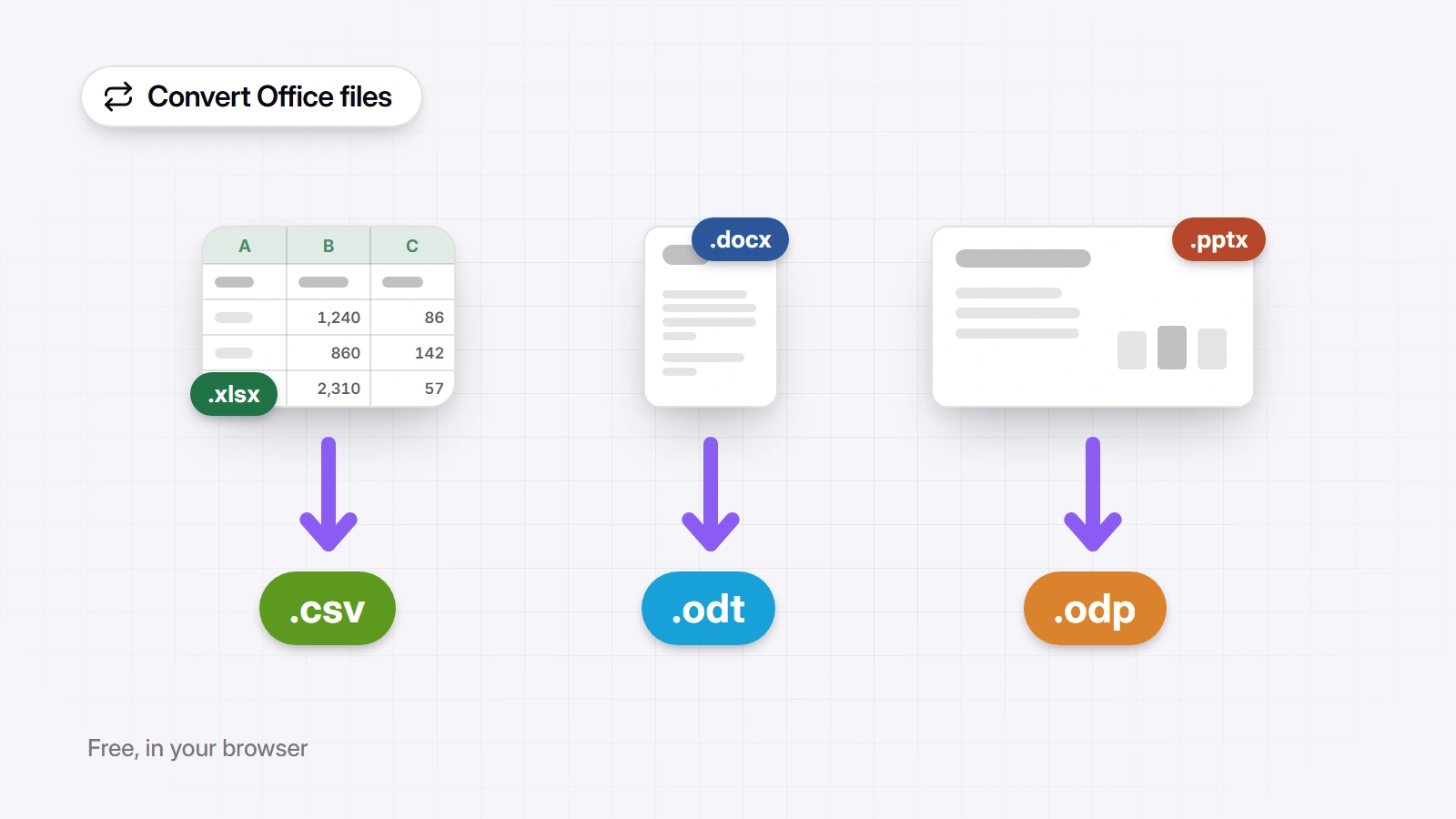
Which file becomes which?
Drop one file and the tool offers only the formats that kind of file converts to, so you never scroll a list that does not apply. Only a Word document gives you a real choice. An Excel workbook, a CSV and a PowerPoint deck each have a single target.
The task pages Excel to CSV, CSV to Excel, Word to ODT, Word to RTF and PowerPoint to ODP are this same tool with the format already picked.
| You drop | You can make | The result opens in |
|---|---|---|
| Excel workbook (.xlsx) | CSV | Any spreadsheet, a text editor or a database import |
| CSV or TSV file | Excel workbook (.xlsx) | Excel, Google Sheets, Numbers |
| Word document (.docx) | ODT or RTF | ODT: LibreOffice, OpenOffice, Google Docs. RTF: WordPad, TextEdit, Pages, LibreOffice |
| PowerPoint deck (.pptx) | ODP | LibreOffice Impress, PowerPoint, Google Slides |
What each conversion keeps and drops
Every conversion is a rewrite from what Minda’s own editor reads in the file, the same code that writes the copies in Edit Word, Excel and PowerPoint. Text, tables and pictures come across closely. The result is not a byte-for-byte copy.
| Conversion | What comes across | What stays behind |
|---|---|---|
| Excel to CSV | A CSV for each sheet with a tab, its cells as they show, a formula as its result. UTF-8 with a byte-order mark. | Formulas, styles and charts, and hidden sheets |
| CSV to Excel | One sheet. The first row is a bold, frozen header with a filter, and plain numbers are stored as numbers. | Dates, figures with a thousands comma, currency signs and 12% stay text, and so does 007 |
| Word to ODT | Headings and styles, lists, tables, PNG, JPEG and GIF pictures, page size and margins, header and footer, notes. | Charts and shapes |
| Word to RTF | The same, with lists written out as bullets and numbers. Fonts, colors, bold, italic and underline come too. | GIF pictures, charts and shapes |
| PowerPoint to ODP | Slide size, backgrounds, text boxes, shapes, lines, tables, PNG, JPEG and GIF pictures, notes, hidden slides as hidden. | Charts, diagrams and other drawings, and the rotation of a shape |
A worked example: handing a folder to a LibreOffice user
A colleague who works in LibreOffice needs quote.docx and pitch.pptx, and your accountant wants the price list in prices.xlsx as CSV. Drop all three in one run with ODT picked and each becomes the format its kind converts to. The steps below run them one at a time, and once more when a form wants RTF.
- Drop
quote.docxon Convert Office files. Word offers ODT and RTF, so pick ODT. - Press Convert and download
quote.odt. It opens in LibreOffice Writer with the headings, lists and pictures in place. - Drop
pitch.pptx. Only ODP is offered, so press Convert and downloadpitch.odp. - Drop
prices.xlsx, press Convert and download the CSV. A workbook with several visible sheets comes as a ZIP, with a CSV for each sheet named after it. - If a form asks for the quote as RTF, drop
quote.docxagain and pick RTF this time.
Convert here, or use Download in the editor?
The arrow beside Download in the editor lists the same Word and PowerPoint pairs, and it is the better place when you have changes to make first. For a CSV it writes only the sheet on screen. This tool takes a file you do not need to change, and it writes every visible sheet at once.
Limits and privacy
Signed out, a file can be up to 10 MB. Signed in on the free plan, the limit is 20 MB, and the Files plan and Pro open files up to 256 MB.
Nothing is uploaded. Your browser reads the file and writes the new one on your own computer. The conversion uses no AI, needs no account and costs nothing.
Limits
- A conversion is a rewrite, so charts and shapes drawn in Word, and charts and diagrams on slides, are not carried over.
- ODT, RTF and ODP files are not converted back to Word or PowerPoint, and Office files do not become PDFs here.
- A CSV holds one sheet’s cells as they show, so formulas, styles and charts are gone from it.
Questions
Can I turn an ODT, RTF or ODP file back into Word or PowerPoint?
Not here yet. Minda Files shows those files but cannot rewrite them as .docx or .pptx. LibreOffice, which is free, opens an ODT, RTF or ODP file and saves it as .docx or .pptx.
Which should I pick for a Word file, ODT or RTF?
ODT, unless a program asks for RTF. ODT keeps lists as real lists and keeps GIF pictures. RTF is for a form or an old program that takes RTF only, and it is the rougher copy.
Does the converted file look exactly like the original?
Close, not exact. Text, tables, pictures and page setup come across. Charts and shapes do not, and a font the other computer lacks is swapped for a similar one. Open the result before you send it, and keep the original.
Does CSV to Excel turn dates and currency into numbers?
No. Only a plain number such as 1234.5 or -7 is stored as a number. A date, a figure with a thousands comma, a currency sign or a percent mark stays text, and so does a code with a leading zero.